
Java 8 Key Features introduced a huge transformation to the Java programming language. In this guide, we explore the top 16 key features of Java 8 such as Lambda Expressions, Streams API, Functional Interfaces, Optional class, Nashorn JavaScript engine, and many more improvements that enhanced productivity and modernized Java development.
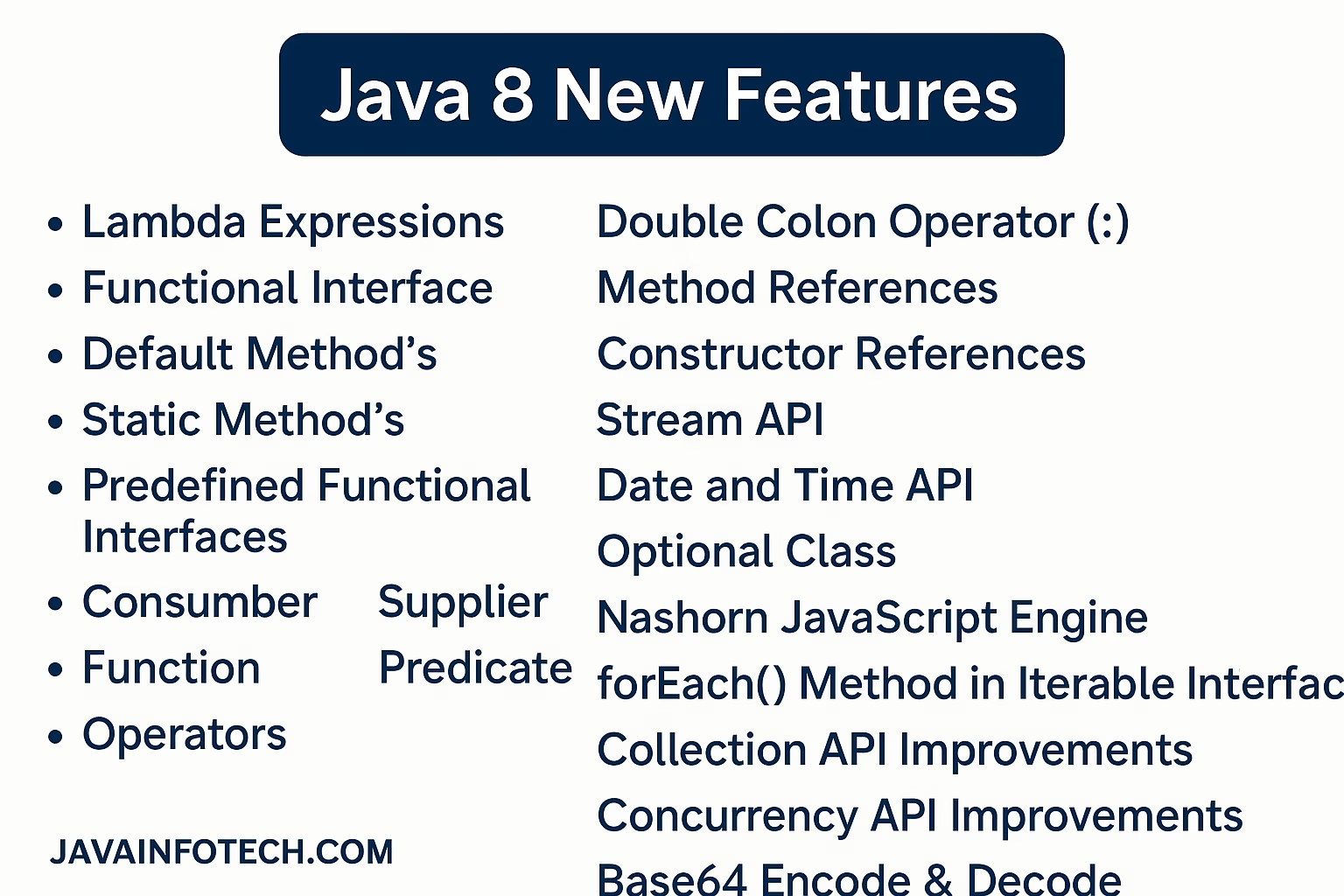
- Lambda Expressions
- Functional Interface
- Default Method’s
- Static Method’s
- Predefined Functional Interfaces
- Consumber
- Supplier
- Function
- Predicate
- Operators
- Double Colon Operator(::)
- Method References
- Constructor References
- Stream API
- Date and Time API
- Optional Class
- Nashorn JavaScript Engine
- forEach() Method in Iterable Interface
- Collection API Improvements
- Concurrency API Improvements
- Base64 Encode & Decode
We have listed all the Java 8 features above. Now, let’s describe each one in detail to gain a better understanding. By breaking down these features individually, we’ll explore their functionalities, benefits, and how they enhance Java programming.
- Lambda Expressions: The main objective of lambda expressions is to bring the benefits of functional programming into Java. It’s an anonymous function nameless, without return type, without modifiers, and Lambda expressions only applicable on functional interface.
Example 1 : Normal Method
public void m1(){
       System.out.println("Hello");
}

In Lambda Expressions
()->{
      System.out.println("Hello");
}

Note:  If body contains single line you can write Lambda expression like below. You should remove {} bracket.[Optional]
()->System.out.println("Hello");

Example 2 : Normal Method
public void sum(int a, int b){
      System.out.println(a+b);
}

In Lambda Expressions
(int a, int b) -> System.out.println(a+b);

Note : Compiler can guess the types automatically so you can remove types.
()->System.out.println(a+b);

Example 3 : Normal Method
public int square(int n){
      return n*n;
}

In Lambda Expressions
Note : If return keyword is specified than curly braces mandatory.
(int n)->{
     return n*n;
}

Note : Without curly braces if you want to return something then automatically you are not required to specific return keyword.
(int n)->n*n;

Note : Compiler automatically guess the return types so remove the return type.
(n)->n*n;

Note : if only one parameter is available then you are not required to use parenthesis. It is optional.
n->n*n;

Note : Within curly braces if we want to return some value compulsory. we should use return keyword in statement.
2. Functional Interface: A functional interface is an interface that contains only one abstract method. They can have only one functionality to exhibit. From Java 8 onwards. Lambda Expression can be used to represent the instance of a functional interface.
Key Points:
- A functional interface can have any number of default methods and static methods.
- We don’t need to use the @FunctionalInterface annotation to mark as functional interface.
- The @FucntionalInterface annotation is a facility to avoid accidental addition of abstract methods in the functional interface.
- Example:
- Runnable = run()
- Callable =call()
- Comparable = compareTo()
- ActionListener = actionPerformed()
Example:
@FunctionalInterface
public interface Calculator {
    // Abstract method
    int operate(int a, int b);
}
Default and Static Interface Methods:
Before Java yet, interfaces could have only public Apex methods; it was not possible to add new functionality to the existing interface without forcing all implementing classes to create an implementation of the new methods, nor was it possible to create an interface method with an implementation. Starting with Java, eight interfaces can have a static and default method that, despite being declared in an interface, has a defined behavior.
3. Default Method’s: A default method is a method defined in an interface with the default keyword, providing a default implementation. This means that classes implementing the interface do not need to provide an implementation for this method unless they choose to override it.
Key Points:
- Default methods allow interfaces to evolve without breaking existing implementations.
- They provide a way to add new functionalities to interfaces while maintaining backward compatibility.
- Default methods can be overridden by implementing classes if a specific behavior is required.
Example:
interface TestInterface {
    // Abstract method
    void square(int a);

    // Default method
    default void show() {
        System.out.println("Default Method Executed");
    }
}

class JavaInfotech implements TestInterface {
    // Implementation of the abstract method
    public void square(int a) {
        System.out.println(a * a);
    }

    public static void main(String[] args) {
        JavaInfotech obj = new JavaInfotech ();
        obj.square(4); // Output: 16
        obj.show();    // Output: Default Method Executed
    }
}
4. Static Method’s: In Java 8, static methods in functional interfaces are used to provide utility functions that are associated with the interface itself rather than its instances. They complement the use of lambda expressions by offering additional functionality that can be accessed without needing an instance of the interface.
Key Points:
- Static methods belong to the interface itself, not to any specific implementation of the interface.
- Static methods can be called on the interface itself, using the interface name, without creating an instance of the interface.
Example:
@FunctionalInterface
public interface Converter {
    int convert(String input);

    static String getDefault() {
        return "Default value";
    }
}

public class JavaInfotech{
    public static void main(String[] args) {
        // Using the static method from the interface
        System.out.println(Converter.getDefault());

        // Using a lambda expression to implement the abstract method
        Converter converter = (input) -> Integer.parseInt(input);
        System.out.println(converter.convert("123"));
    }
}
5. Predefined Functional Interfaces: The functional interface define in java.util.function package to make it easier to work with lambda expressions (a way to write short, anonymous functions). These interfaces are like “templates” for common tasks, such as taking input, producing output, or checking conditions. Below are some of the most commonly used predefined functional interfaces:
a) Consumer<T>: Takes an argument and performs an action (like printing or saving), but doesn’t return any values.
Method: void accept(T t);
Example: Printing a string
package com.javainfotech.stream;
import java.util.function.Consumer;
public class ConsumerDemo {
	public static void main(String[] args) {
		Consumer<String> print = s -> System.out.println(s);
		print.accept("Hello!");
		//Output: Hello!
	}
}
b) Supplier<T>: Doesn’t take any argument but produces a result (like generating a random number).
Method: T get();
Example: Generate random number
package com.javainfotech.stream;
import java.util.function.Supplier;
public class SupplierDemo {

	public static void main(String[] args) {
		Supplier<Double> random = () -> Math.random();
		System.out.println(random.get());
		// Output: 0.5928277559056624
	}
}
c) Function<T, R>: Takes one argument, processes it, and returns a result.
Method: R apply(T t);
Example: Convert a string to its length.
package com.javainfotech.stream;
import java.util.function.Function;

public class FunctionDemo {

	public static void main(String[] args) {
		Function<String, Integer> length = s -> s.length();
		System.out.println(length.apply("Hello"));
		// Prints 5
	}
}
d) Predicate<T>: Takes an argument and checks a condition, return boolean value.
Method: boolean test(T t);
Example: Check if a string is longer than 5 characters.
package com.javainfotech.stream;
import java.util.function.Predicate;
public class PredicateDemo {

	public static void main(String[] args) {
		Predicate<String> isLong = s -> s.length() > 5;
		System.out.println(isLong.test("JavaInfotech"));
		// Output: true
	}
}
e) Operators: Functional interfaces categorized under operator are specialized function where the passed argument and result are of the same type.
Example: UnaryOperator<T>, BinaryOperator<T>
package com.javainfotech.stream;
import java.util.function.BinaryOperator;
import java.util.function.UnaryOperator;

public class OperatorDemo {

	public static void main(String[] args) {
		UnaryOperator<String> toUpper = s -> s.toUpperCase();
		System.out.println(toUpper.apply("hello"));
		// Output: HELLO
		BinaryOperator<Integer> add = (a, b) -> a + b;
		System.out.println(add.apply(5, 3));
		// Output: 8
	}
}
Why are these useful?
These interfaces save you time because you don’t have to create your own interfaces for common tasks. Instead, you can use these predefined ones with lambda expressions to write cleaner and more concise code.
Example:
package com.javainfotech.stream;
import java.util.function.Consumer;

public class Demo {

	public static void main(String[] args) {
		// Without lambda:
		Consumer<String> print = new Consumer<String>() {
		    @Override
		    public void accept(String s) {
		        System.out.println(s);
		    }
		};

		// With lambda:
		Consumer<String> output = s -> System.out.println(s);
	}
}
6. Double Colon Operator(::) : When we are using a method reference – the target reference is placed before the delimiter : : and the method is provided after it.
For Example: Employee::getSalary
Note: We are looking at a method reference to the method getSalary defined in the Employee Class. we can then operate with that funtion.
7. Double Colon (::) Operator – Method Reference
The double colon (::) operator in Java 8 is a method reference operator.
It allows you to refer to methods or constructors without invoking them directly.
✅ Example:
List<String> names = Arrays.asList("Jitesh", "Ravi", "Suman");
names.forEach(System.out::println);
Here, System.out::println is a method reference, which is equivalent to writing a lambda like (name) -> System.out.println(name).
🔹 Benefits:
- Makes the code cleaner and more readable
- Reduces boilerplate in lambda expressions
8. Method References
Method references are shortcuts to call existing methods using the :: operator.
There are four types:
| Type | Example | Description |
|---|---|---|
| Static Method Reference | ClassName::staticMethod | Refers to a static method |
| Instance Method Reference | object::instanceMethod | Refers to a specific object’s method |
| Arbitrary Object Reference | ClassName::instanceMethod | Used with stream elements |
| Constructor Reference | ClassName::new | Refers to a constructor |
✅ Example (Static):
Function<String, Integer> func = Integer::parseInt;
System.out.println(func.apply("10"));  // Output: 10
9. Constructor References
You can use method references to refer directly to constructors using ClassName::new.
✅ Example:
Supplier<List<String>> supplier = ArrayList::new;
List<String> list = supplier.get();
This automatically calls new ArrayList() under the hood — much cleaner than writing a full lambda expression.
10. Stream API
One of the most powerful features in Java 8, the Stream API simplifies data processing by providing a functional approach to collections.
✅ Example:
List<Integer> numbers = Arrays.asList(1, 2, 3, 4, 5);
numbers.stream()
       .filter(n -> n % 2 == 0)
       .map(n -> n * n)
       .forEach(System.out::println);
💡 Output:
4
16
🔹 Why Use Streams?
- Eliminates external loops
- Enables filtering, mapping, sorting, and reducing in a single line
- Improves readability and efficiency
For more details, please refer to the official Oracle Java 8 documentation:
11. Date and Time API (java.time Package)
Before Java 8, developers struggled with mutable and confusing classes like Date and Calendar.
Java 8 introduced a brand-new Date and Time API in the java.time package.
✅ Example:
LocalDate today = LocalDate.now();
LocalTime time = LocalTime.now();
LocalDateTime dateTime = LocalDateTime.now();

System.out.println("Today: " + today);
System.out.println("Time: " + time);
System.out.println("DateTime: " + dateTime);
🔹 Benefits:
- Thread-safe and immutable
- Easy to format, parse, and manipulate dates
12. Optional Class
Optional was introduced to avoid NullPointerExceptions (NPEs) and handle missing values gracefully.
✅ Example:
Optional<String> name = Optional.ofNullable("Jitesh");
name.ifPresent(System.out::println);
If the value is null, no exception occurs — making code safer and cleaner.
🔹 Common Methods:
of(),ofNullable(),isPresent(),orElse(),ifPresent()
13. Nashorn JavaScript Engine
Java 8 introduced the Nashorn JavaScript Engine, which allows you to execute JavaScript code inside Java applications.
✅ Example:
ScriptEngineManager manager = new ScriptEngineManager();
ScriptEngine engine = manager.getEngineByName("nashorn");

engine.eval("print('Hello from JavaScript inside Java!')");
Though deprecated later, it was a big step toward polyglot programming in Java.
14. forEach() Method in Iterable Interface
The forEach() method was added to the Iterable interface, allowing you to loop through collections using lambda expressions.
✅ Example:
List<String> list = Arrays.asList("Java", "Spring", "Microservices");
list.forEach(item -> System.out.println(item));
Simple, expressive, and cleaner than traditional for-loops.
15. Collection API Improvements
Java 8 enhanced the Collection API with new methods such as:
removeIf(Predicate)replaceAll(UnaryOperator)forEach(Consumer)
✅ Example:
List<Integer> list = new ArrayList<>(Arrays.asList(1, 2, 3, 4));
list.removeIf(n -> n % 2 == 0);
System.out.println(list);  // Output: [1, 3]
These improvements make collection handling more functional and concise.
To Learn more about Spring Boot Internal working How Does a Spring Boot Application Work Internally?
16. Concurrency API Improvements
Java 8 added new classes to improve parallel processing and thread management, including:
CompletableFutureStampedLockLongAdder
✅ Example (CompletableFuture):
CompletableFuture.runAsync(() -> System.out.println("Async task running..."))
                 .thenRun(() -> System.out.println("Task completed!"));
This makes writing asynchronous, non-blocking code much simpler than before.
🔐 Bonus: Base64 Encode and Decode
Java 8 introduced built-in Base64 encoding and decoding utilities.
✅ Example:
String original = "JavaInfotech";
String encoded = Base64.getEncoder().encodeToString(original.getBytes());
String decoded = new String(Base64.getDecoder().decode(encoded));

System.out.println("Encoded: " + encoded);
System.out.println("Decoded: " + decoded);
Output:
Encoded: SmF2YUluZm90ZWNo
Decoded: JavaInfotech
🧭 Summary Table of Java 8 Features
| Feature | Description | Benefit |
|---|---|---|
| :: Operator | Method Reference Shortcut | Cleaner code |
| Method References | Shortcut for Lambdas | Readable syntax |
| Constructor References | Calls constructor via reference | Less boilerplate |
| Stream API | Functional data processing | Concise & powerful |
| Date/Time API | Modern time management | Thread-safe |
| Optional | Avoids NullPointerException | Safe code |
| Nashorn | Run JS in Java | Polyglot support |
| forEach() | New iteration method | Simplified loops |
| Collection API | New functional methods | Efficient collections |
| Concurrency API | Async & parallel tools | Better performance |
| Base64 | Built-in encoding/decoding | Easier security handling |
🧠 Conclusion
Java 8 completely transformed how developers write and think about Java.
Its functional programming style, powerful APIs, and cleaner syntax made it one of the most impactful Java releases ever.
If you’re a Java developer, mastering these features is a must — whether for professional coding, clean architecture, or interview preparation.